WhatsApp Chat

Author name: Aspire S

Microservices architecture in .NET for building scalable enterprise applications

Microservices Architecture in .NET: How to Build Scalable Enterprise Applications

In today’s fast-evolving digital landscape, businesses demand applications that are scalable, flexible, and resilient. Traditional monolithic architectures often struggle to keep up with these demands. This is where microservices architecture in .NET becomes a game-changer. At Aspire Software Consultancy, we help organizations modernize their systems using advanced dot net development services, enabling them to build scalable enterprise applications that support long-term growth and innovation. What is Microservices Architecture? Microservices architecture is a design approach where an application is built as a collection of small, independent services. Each service focuses on a specific business capability and can be developed, deployed, and scaled independently. Unlike monolithic applications, microservices allow businesses to: Scale specific components without affecting the entire system Deploy updates faster Improve fault isolation and resilience Enable multiple teams to work simultaneously This approach is widely adopted by modern enterprise app development company solutions aiming for agility and performance. Why Choose .NET for Microservices? Microsoft’s .NET ecosystem, especially .NET Core / .NET 8, is one of the most powerful platforms for building microservices-based applications. Here’s why businesses prefer dot net development for microservices: 1. Cross-Platform Compatibility .NET allows applications to run on Windows, Linux, and macOS, making deployment flexible and cost-effective. 2. High Performance With optimized runtime and lightweight architecture, .NET ensures faster processing—essential for scalable systems. 3. Rich Ecosystem From ASP.NET Core APIs to integration tools, .NET provides everything needed for building microservices efficiently. 4. Cloud-Native Support .NET integrates seamlessly with cloud platforms like Azure, making it ideal for modern distributed applications. As a leading .net development company, we leverage these capabilities to build robust and scalable solutions. Key Components of .NET Microservices Architecture To successfully implement microservices, it’s important to understand its core components: 1. API Gateway Acts as a single entry point for all client requests, managing routing, authentication, and load balancing. 2. Independent Services Each microservice is built around a specific business function and runs independently. 3. Database per Service Every microservice manages its own database to ensure loose coupling. 4. Communication Mechanisms Microservices communicate via: REST APIs gRPC Message queues (like RabbitMQ or Azure Service Bus) 5. Containerization Tools like Docker and Kubernetes help deploy and manage services efficiently. A reliable custom .net development company ensures all these components are implemented seamlessly. Benefits of Microservices in Enterprise Applications Adopting microservices with dot net core development services offers several advantages: Scalability Scale individual services based on demand instead of scaling the entire application. Faster Time-to-Market Independent deployments allow quicker releases and updates. Improved Fault Isolation Failure in one service doesn’t bring down the entire system. Technology Flexibility Teams can use different technologies for different services if needed. Better Maintainability Smaller codebases are easier to manage and update. These benefits make microservices the preferred choice for any software development consultancy working on enterprise-grade applications. Challenges to Consider While microservices offer numerous benefits, they also come with challenges: Increased system complexity Data consistency issues Network latency Monitoring and debugging difficulties However, with the right strategy and an experienced enterprise app development company, these challenges can be effectively managed. Best Practices for Building Microservices in .NET To ensure success, follow these proven best practices: 1. Design Around Business Capabilities Each microservice should represent a clear business function. 2. Use Domain-Driven Design (DDD) Helps in structuring services logically and efficiently. 3. Implement Centralized Logging & Monitoring Use tools like Application Insights or ELK stack for better observability. 4. Secure Your Services Implement authentication and authorization using OAuth or JWT. 5. Automate Deployment Use CI/CD pipelines to streamline updates and releases. 6. Optimize Communication Avoid excessive inter-service calls to reduce latency. At Aspire Software Consultancy, our dot net development services focus on implementing these best practices to deliver high-performance systems. Real-World Use Cases Microservices architecture in .NET is widely used across industries: E-commerce platforms for handling high traffic and transactions Fintech applications requiring security and scalability Healthcare systems for managing distributed data SaaS platforms needing continuous updates and flexibility As a trusted .net development company, we build tailored solutions that align with your business goals. Why Choose Aspire Software Consultancy? Choosing the right partner is crucial for successful implementation. At Aspire Software Consultancy, we offer: Expert dot net development services Scalable microservices architecture design End-to-end development and deployment support Customized solutions tailored to your business As a leading software development consultancy, we help businesses transform their digital infrastructure with modern, scalable technologies. Conclusion Microservices architecture in .NET is the foundation for building scalable, resilient, and future-ready enterprise applications. While the transition from monolithic systems may seem complex, the long-term benefits far outweigh the challenges. By partnering with a reliable custom .net development company, businesses can unlock the full potential of microservices and stay ahead in today’s competitive market. Frequently Asked Questions What is microservices architecture in .NET? Microservices architecture in .NET is a design approach where applications are divided into small, independent services built using .NET technologies for scalability and flexibility. Why use .NET for microservices? .NET offers high performance, cross-platform support, and strong cloud integration, making it ideal for building scalable microservices. What are the benefits of microservices for enterprises? Microservices improve scalability, enable faster deployment, enhance fault isolation, and simplify maintenance. Is microservices suitable for all applications? No, microservices are best suited for complex, large-scale applications. Smaller applications may work better with a monolithic architecture. How do I start building microservices in .NET? Start by identifying business components, designing independent services, and using tools like ASP.NET Core, Docker, and Kubernetes. Facebook Instagram Youtube Linkedin X-twitter

Microservices Architecture in .NET: How to Build Scalable Enterprise Applications Read More »
Cloud-native application development using .NET and Azure for scalable enterprise solutions

Building Cloud-Native Applications with .NET and Azure

In today’s fast-paced digital landscape, businesses are rapidly shifting toward cloud-native architectures to stay competitive, scalable, and resilient. Cloud-native applications are designed specifically to leverage the power of cloud platforms, enabling faster deployment, better performance, and seamless scalability. At Aspire Software Consultancy, we help businesses unlock the true potential of cloud technologies through advanced microsoft .net development services and Azure-based solutions tailored to modern enterprise needs. What Are Cloud-Native Applications? Cloud-native applications are built and deployed using cloud computing principles such as microservices, containerization, DevOps, and continuous delivery. Unlike traditional monolithic applications, cloud-native systems are modular, scalable, and resilient by design. With .net application development services, businesses can build applications that are: Highly scalable Fault-tolerant Easily maintainable Faster to deploy Why Choose .NET for Cloud-Native Development? Microsoft’s .NET ecosystem has evolved into a powerful platform for building modern applications. Combined with Azure, it offers a robust foundation for enterprise-grade solutions. Key Benefits of .NET: Cross-Platform Capabilities .NET enables development across Windows, Linux, and macOS, making it ideal for cloud-native environments. High Performance Optimized runtime and efficient memory management ensure faster application performance. Strong Security Built-in security features help protect applications from vulnerabilities. Microservices Support .NET supports microservices architecture, allowing businesses to scale individual components independently. This makes dot net development services a preferred choice for businesses aiming to modernize their infrastructure. Why Azure Is the Perfect Cloud Partner Microsoft Azure provides a comprehensive cloud ecosystem that perfectly complements .NET development. Key Azure Services for Cloud-Native Apps: Azure Kubernetes Service (AKS) for container orchestration Azure App Services for hosting applications Azure DevOps for CI/CD pipelines Azure Functions for serverless computing Azure SQL Database for scalable data storage By leveraging Azure, a .net development company can deliver applications that are globally available, secure, and highly scalable. Key Components of Cloud-Native Architecture To build efficient cloud-native applications, the following components are essential: 1. Microservices Architecture Applications are broken into smaller, independent services that can be developed and deployed separately.  2. Containerization To ensure consistency across environments, tools like Docker are widely used.  3. DevOps & CI/CD Additionally, automated pipelines enable faster delivery and continuous improvement.  4. API-First Design APIs further support seamless communication between services and external systems.  At Aspire Software Consultancy, our software consulting services ensure that each of these components is implemented strategically for maximum efficiency. Benefits of Cloud-Native Applications for Enterprises Adopting cloud-native development offers significant advantages for modern businesses: ✔ Scalability on Demand Applications can scale automatically based on user demand.  ✔ Faster Time-to-Market At the same time, continuous integration and deployment accelerate release cycles.  ✔ Cost Efficiency This approach also reduces infrastructure costs through pay-as-you-go models.  ✔ Improved Resilience As a result, fault isolation improves overall system stability.  ✔ Enhanced Innovation Moreover, teams can experiment and innovate without affecting the entire system.  These benefits make cloud-native solutions a critical part of enterprise application development strategies. How Aspire Software Consultancy Can Help As a trusted custom .net development company, Aspire Software Consultancy specializes in building tailored cloud-native solutions that align with your business goals. Our Expertise Includes: End-to-end .net application development services Cloud migration and modernization Azure architecture design and implementation Microservices and API development DevOps and CI/CD setup We focus on delivering scalable, secure, and high-performance solutions that empower businesses to grow in a digital-first world. Best Practices for Building Cloud-Native Applications To ensure success, businesses should follow these best practices: Design for Scalability Build applications that can handle growth without major redesign. Use Managed Services Leverage Azure’s managed services to reduce operational overhead. Implement Security Early Integrate security practices from the development stage. Monitor and Optimize Use monitoring tools to track performance and improve continuously. Choose the Right Partner Working with an experienced .net development company ensures smooth implementation and long-term success. Conclusion Building cloud-native applications with .NET and Azure is no longer optional—it’s essential for businesses aiming to stay competitive in today’s digital ecosystem. With the right tools, architecture, and expertise, organizations can achieve unmatched scalability, performance, and innovation. At Aspire Software Consultancy, we combine cutting-edge technology with industry expertise to deliver reliable and future-ready solutions. Whether you’re starting from scratch or modernizing existing systems, our microsoft .net development services are designed to help you succeed in the cloud. Frequently Asked Questions What is a cloud-native application? A cloud-native application is designed to run in cloud environments using microservices, containers, and scalable infrastructure. Why use .NET for cloud-native development? .NET offers high performance, cross-platform support, and strong integration with Azure, making it ideal for modern applications. What are the benefits of Azure for application development? Azure provides scalability, security, global availability, and a wide range of tools for building and managing applications. How do microservices improve application performance? Microservices allow independent scaling and faster updates, improving overall system efficiency. Why choose a custom .NET development company? A custom partner ensures tailored solutions, better performance, and alignment with business goals. Facebook Instagram Youtube Linkedin X-twitter

Building Cloud-Native Applications with .NET and Azure Read More »

System integration connecting CRM, ERP, and business applications to improve efficiency and streamline enterprise operations

How System Integration Improves Business Efficiency: A Complete Guide for Enterprises

In today’s fast-paced digital landscape, enterprises rely on multiple software systems to manage operations—CRM, ERP, marketing tools, finance platforms, and more. However, when these systems operate in silos, businesses face inefficiencies, data inconsistencies, and delayed decision-making. This is where system integration becomes a game-changer. At Aspire Software Consultancy, we help enterprises streamline operations by connecting systems seamlessly—especially through expert salesforce implementation services and integration strategies that drive measurable business outcomes. What is System Integration? System integration is the process of connecting different software applications and IT systems to function as a unified ecosystem. Instead of operating independently, systems share data in real time, enabling smooth workflows and better collaboration. For example, integrating your CRM with your ERP system ensures that sales, inventory, and finance teams all work with the same data—eliminating duplication and errors. Why System Integration is Critical for Enterprises Modern enterprises generate vast amounts of data across multiple platforms. Without integration, this data becomes fragmented and difficult to manage. Here’s why integration is essential: Eliminates data silos Improves operational efficiency Enhances customer experience Enables real-time decision-making Reduces manual work and errors Businesses working with a reliable salesforce consulting partner often experience faster digital transformation due to seamless integration capabilities. Key Benefits of System Integration 1. Improved Operational Efficiency When systems are integrated, processes become automated. Tasks like data entry, report generation, and order processing no longer require manual intervention. This leads to: Faster workflows Reduced human errors Increased productivity Partnering with a trusted salesforce implementation company ensures that your systems are configured for maximum efficiency. 2. Centralized Data Management Integration creates a single source of truth. All departments access consistent and up-to-date information, improving collaboration across teams. For instance: Sales teams can view real-time inventory Finance teams can track transactions instantly Management can generate accurate reports This is one of the biggest advantages of working with a skilled salesforce consulting partner. 3. Better Customer Experience Customers expect personalized and seamless interactions. System integration enables businesses to deliver exactly that. With integrated systems: Customer data is unified Support teams have full context Marketing campaigns become more targeted A well-executed salesforce implementation partner strategy can significantly improve customer engagement and retention. 4. Real-Time Insights and Decision Making Integrated systems provide real-time data analytics, helping businesses make informed decisions quickly. Benefits include: Faster response to market changes Data-driven strategies Improved forecasting Enterprises that hire salesforce consultants often gain a competitive advantage through advanced reporting and analytics. 5. Scalability and Flexibility As your business grows, your systems must scale with it. Integrated systems allow you to add new tools and functionalities without disrupting existing operations. This flexibility is crucial for enterprises planning long-term growth. Common System Integration Approaches 1. API-Based Integration Uses APIs to connect systems in real time. Ideal for modern cloud applications like Salesforce. 2. Middleware Integration Acts as a bridge between systems, enabling communication and data exchange. 3. Data Integration Focuses on consolidating data from multiple sources into a centralized database. Choosing the right approach depends on your business needs, which is why understanding how to choose salesforce partner becomes critical for success. Role of Salesforce in System Integration Salesforce is one of the most powerful CRM platforms, widely used by enterprises worldwide. Its flexibility and robust API capabilities make it ideal for system integration. With professional salesforce consulting services, businesses can: Integrate Salesforce with ERP systems Connect marketing automation tools Sync customer data across platforms Automate workflows A certified salesforce implementation partner ensures smooth deployment and integration, minimizing risks and maximizing ROI. Challenges in System Integration (and How to Overcome Them) 1. Data Inconsistency Different systems may store data in different formats. Solution: Use data standardization and validation processes. 2. High Implementation Costs Integration can be complex and resource-intensive. Solution: Work with an experienced salesforce implementation company to optimize costs and avoid rework. 3. Security Risks Data sharing across systems can create vulnerabilities. Solution: Implement strong security protocols and compliance measures. 4. Lack of Expertise Integration requires technical expertise and strategic planning. Solution: Hire salesforce consultants with proven experience in enterprise integrations. Best Practices for Successful System Integration To ensure successful integration, follow these best practices: Define clear business goals Choose the right integration tools Ensure data quality and governance Test thoroughly before deployment Monitor and optimize continuously Most importantly, partner with a reliable salesforce consulting partner who understands your business needs. How Aspire Software Consultancy Can Help At Aspire Software Consultancy, we specialize in delivering tailored integration solutions that align with your business objectives. Our services include: End-to-end salesforce implementation services Custom system integration solutions CRM and ERP integration Ongoing support and optimization Whether you’re starting your digital transformation journey or looking to optimize existing systems, our experts are here to help. Conclusion System integration is no longer optional—it’s essential for enterprises aiming to stay competitive in a digital-first world. By connecting systems, automating workflows, and enabling real-time insights, businesses can achieve significant improvements in efficiency and performance. Partnering with the right salesforce consulting partner ensures that your integration journey is smooth, scalable, and aligned with your long-term goals. Frequently Asked Questions What is system integration in business? System integration connects different software systems to work as a unified platform, improving efficiency and data flow. How does system integration improve efficiency? It automates workflows, reduces manual tasks, eliminates data silos, and provides real-time insights. Why is Salesforce important for system integration? Salesforce offers robust APIs and flexibility, making it easy to integrate with various business applications. How to choose Salesforce partner for integration? Look for experience, certifications, industry expertise, and proven project success when selecting a salesforce implementation partner. Should I hire Salesforce consultants for integration? Yes, experienced consultants ensure smooth implementation, reduce risks, and optimize system performance. Facebook Instagram Youtube Linkedin X-twitter

How System Integration Improves Business Efficiency: A Complete Guide for Enterprises Read More »

How to choose the right Salesforce implementation partner for your business and ensure successful CRM implementation

How to Choose the Right Salesforce Implementation Partner for Your Business

In today’s competitive digital landscape, choosing the right Salesforce implementation partner can make or break your CRM success. Salesforce is a powerful platform, but its true potential is unlocked only when implemented correctly, aligned with your business goals, and customized for your workflows. With so many vendors offering Salesforce implementation services, businesses often struggle to identify the right partner. This guide will help you understand how to choose a Salesforce partner that fits your needs and ensures long-term success. Why Choosing the Right Salesforce Partner Matters A reliable Salesforce consulting partner does more than just deploy software. They: Understand your business processes Customize Salesforce to match your workflows Ensure seamless integration with existing systems Provide ongoing support and optimization A wrong choice, however, can lead to project delays, budget overruns, poor adoption, and limited ROI. Key Factors to Consider When Choosing a Salesforce Implementation Partner 1. Industry Experience and Expertise Not all Salesforce partners are the same. Look for a Salesforce implementation company with proven experience in your industry. For example, if you’re in healthcare, retail, or manufacturing, your partner should understand industry-specific challenges and compliance requirements. What to check: Past projects and case studies Industry-specific solutions Client testimonials 2. Salesforce Certifications and Credentials A credible Salesforce consulting partner should have certified professionals on their team. Certifications validate technical expertise and ensure that the partner follows Salesforce best practices. Look for: Salesforce Certified Administrators Salesforce Developers Salesforce Consultants When you hire Salesforce consultants, certifications are a strong indicator of quality and reliability. 3. Customization and Scalability Capabilities Your business is unique, and your CRM should reflect that. Avoid partners who offer one-size-fits-all solutions. The right Salesforce implementation partner will: Customize workflows Build automation Scale the solution as your business grows This ensures that your Salesforce setup evolves with your business needs. 4. Integration Expertise Modern businesses rely on multiple systems such as ERP, marketing tools, and analytics platforms. An experienced provider of Salesforce implementation services should have strong expertise in: API integrations Third-party tools Data migration Seamless integration ensures a unified ecosystem and improves efficiency. 5. Clear Implementation Methodology A structured approach is essential for a successful implementation. Ask your Salesforce implementation company about their process: Discovery & requirement analysis Solution design Development & customization Testing & deployment Training & support A well-defined methodology minimizes risks and ensures timely delivery. 6. Post-Implementation Support Salesforce implementation doesn’t end after deployment. Continuous optimization is key to long-term success. A reliable Salesforce consulting services provider should offer: Ongoing support Performance monitoring User training Feature enhancements This ensures your system stays relevant and efficient. 7. Communication and Collaboration A successful implementation requires close collaboration between your team and the partner. Choose a partner who: Communicates clearly Provides regular updates Understands your business goals Strong communication reduces misunderstandings and improves outcomes. 8. Cost vs Value While budget is important, don’t choose a partner based solely on cost. The cheapest option may lead to poor implementation, while a high-quality Salesforce implementation partner delivers better ROI through: Efficiency gains Improved customer experience Scalable solutions Focus on value, not just pricing. Why Choose Aspire Software Consultancy? At Aspire Software Consultancy, we specialize in delivering tailored Salesforce implementation services that align with your business objectives. Our approach includes: Deep business analysis Custom Salesforce solutions Seamless system integrations Ongoing support and optimization Whether you want to hire Salesforce consultants or need end-to-end implementation, we ensure a smooth and successful Salesforce journey. Common Mistakes to Avoid When selecting a Salesforce consulting partner, avoid these pitfalls: Choosing based only on price Ignoring industry experience Overlooking post-implementation support Not verifying certifications Lack of clear communication Avoiding these mistakes can save time, money, and effort. Final Thoughts Choosing the right Salesforce implementation company is a strategic decision that directly impacts your business growth. By focusing on expertise, scalability, integration capabilities, and support, you can find a partner who not only implements Salesforce but also helps you maximize its value. If you’re wondering how to choose a Salesforce partner, remember: the right partner acts as a long-term collaborator, not just a service provider. Frequently Asked Questions What is a Salesforce implementation partner? A Salesforce implementation partner is a company that helps businesses deploy, customize, and optimize Salesforce according to their needs. How do I choose the right Salesforce partner? To choose the right partner, evaluate their experience, certifications, industry expertise, integration capabilities, and support services. Why should I hire Salesforce consultants? When you hire Salesforce consultants, you gain expert guidance, faster implementation, and a solution tailored to your business. What services do Salesforce implementation companies offer? They offer services like customization, integration, data migration, automation, and ongoing support. How long does Salesforce implementation take? It depends on project complexity, but typically ranges from a few weeks to several months. Facebook Instagram Youtube Linkedin X-twitter

How to Choose the Right Salesforce Implementation Partner for Your Business Read More »

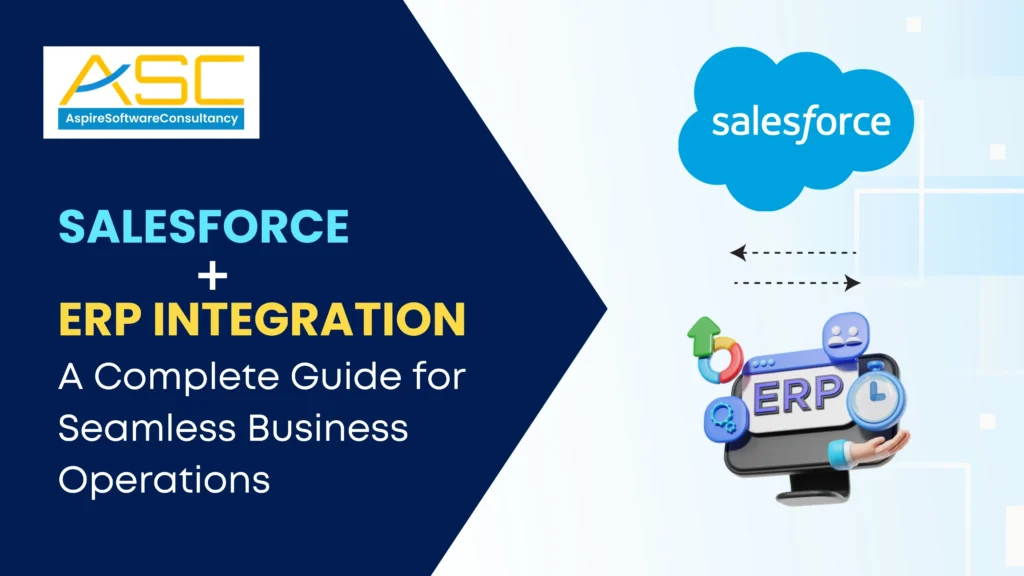
Salesforce ERP integration dashboard showing connected CRM and ERP systems for streamlined business operations

Salesforce + ERP Integration: A Complete Guide for Seamless Business Operations

In today’s competitive digital landscape, businesses rely heavily on connected systems to drive efficiency and growth. However, many organizations still operate with disconnected platforms, leading to data silos and operational inefficiencies. This is where Salesforce ERP integration becomes a game-changer. At Aspire Software Consultancy, we help businesses unify their systems through intelligent integration strategies that enhance productivity, visibility, and decision-making. What is Salesforce + ERP Integration? Salesforce integration with ERP systems refers to connecting your Customer Relationship Management (CRM) platform with your Enterprise Resource Planning (ERP) system. While Salesforce manages customer interactions, sales pipelines, and marketing, ERP systems handle finance, inventory, supply chain, and operations. When integrated, these systems share real-time data, creating a single source of truth across the organization. Why Businesses Need CRM and ERP Integration Disconnected systems create inefficiencies that slow down business growth. Integrating CRM and ERP bridges this gap and ensures seamless communication between departments. Key CRM and ERP Integration Benefits Real-Time Data Synchronization Eliminate manual data entry and ensure consistent data across platforms. Improved Customer Experience Sales and support teams gain access to accurate order history, billing, and inventory data. Better Decision-Making Unified dashboards provide insights into sales, finance, and operations. Enhanced Productivity Automation reduces repetitive tasks and frees up valuable time. Scalability Integrated systems grow with your business without operational bottlenecks. How to Integrate Salesforce with ERP Understanding how to integrate Salesforce with ERP is crucial for a successful implementation. The approach depends on your business needs, system complexity, and scalability goals. 1. Define Business Objectives Start by identifying what you want to achieve—whether it’s improved reporting, automation, or customer experience. 2. Choose the Right Integration Method Common methods include: API-based integration Middleware platforms Pre-built connectors Custom integration solutions 3. Data Mapping and Standardization Ensure consistent data formats between Salesforce and your ERP system to avoid duplication and errors. 4. Implementation and Testing Thorough testing is critical to ensure data flows correctly across systems without disruptions. 5. Deployment and Monitoring Once deployed, continuously monitor performance and optimize integration processes. Partnering with expert Salesforce consulting services ensures this process is executed efficiently and securely. Common ERP CRM Integration Challenges While integration offers immense benefits, businesses often face certain challenges during implementation. 1. Data Silos and Inconsistencies Legacy systems may store data in incompatible formats, making integration complex. 2. High Implementation Costs Custom integrations can require significant investment if not planned correctly. 3. Security Concerns Ensuring data security and compliance across platforms is critical. 4. System Compatibility Issues Not all ERP systems easily integrate with Salesforce, requiring middleware or custom solutions. 5. Change Management Employees may resist adopting new workflows without proper training. At Aspire Software Consultancy, we address these ERP CRM integration challenges with tailored strategies and proven methodologies. Best Practices for Successful Salesforce ERP Integration To maximize the value of your integration, follow these best practices: Start Small and Scale Gradually Begin with core processes and expand integration over time. Prioritize Data Quality Clean and standardize your data before integration. Choose the Right Integration Partner Reliable Salesforce integration services ensure smooth implementation. Ensure Security and Compliance Protect sensitive business and customer data. Invest in Training Equip your team to use integrated systems effectively. Why Choose Aspire Software Consultancy? At Aspire Software Consultancy, we specialize in delivering robust Salesforce integration services tailored to your business needs. Our expertise ensures seamless integration between Salesforce and ERP systems, helping you unlock the full potential of your technology stack. What We Offer: End-to-end integration strategy and implementation Custom and scalable solutions Ongoing support and optimization Expertise in complex ERP environments We combine technical expertise with business insights to deliver measurable results.   Final Thoughts Salesforce integration with ERP systems is no longer optional—it’s essential for businesses aiming to stay competitive in a data-driven world. By eliminating silos and enabling real-time insights, integration empowers organizations to operate more efficiently and deliver exceptional customer experiences. With the right strategy and expert support from Aspire Software Consultancy, your business can achieve seamless operations and long-term success. Frequently Asked Questions What is Salesforce ERP integration? Salesforce ERP integration connects CRM and ERP systems to enable seamless data flow and unified business operations. What are the benefits of integrating CRM and ERP? Key benefits include real-time data access, improved customer experience, better decision-making, and increased efficiency. How long does Salesforce ERP integration take? The timeline depends on system complexity, data volume, and integration method, typically ranging from a few weeks to several months. What are common challenges in ERP CRM integration? Challenges include data inconsistencies, system compatibility issues, security concerns, and high implementation costs. Why should I use Salesforce integration services? Professional Salesforce integration services ensure accurate implementation, reduced risks, and faster deployment. Facebook Instagram Youtube Linkedin X-twitter

Salesforce + ERP Integration: A Complete Guide for Seamless Business Operations Read More »

Illustration showing Salesforce implementation challenges, common mistakes, and solutions to fix CRM performance issues and improve business outcomes.

Why Your Salesforce Implementation Is Failing And How to Fix It

Implementing Salesforce can transform your business operations, improve customer relationships, and drive growth. However, many organizations struggle to achieve the expected results. If your CRM rollout isn’t delivering value, you’re not alone. Understanding why Salesforce implementation fails is the first step toward fixing it and unlocking its full potential. At Aspire Software Consultancy, we’ve worked with businesses facing similar challenges—and successfully turned failing implementations into high-performing systems. Common Salesforce Implementation Challenges Many companies encounter similar salesforce implementation challenges, regardless of industry or size. Here are the most common issues: 1. Lack of Clear Business Goals One of the biggest salesforce implementation issues is starting without a defined strategy. Businesses often jump into implementation without aligning Salesforce capabilities with their actual business objectives. Fix: Define clear, measurable goals such as improving lead conversion rates, enhancing customer support, or automating workflows. Your CRM should support outcomes—not just processes. 2. Poor Data Quality and Migration Issues Dirty, duplicate, or incomplete data can derail your CRM from day one. Poor data migration is a leading reason why Salesforce implementation fails. Fix: Clean your data before migration. Standardize formats, remove duplicates, and validate information. Implement ongoing data governance practices to maintain quality. 3. Lack of User Adoption Even the best CRM system fails if your team doesn’t use it. Resistance to change is one of the most overlooked common Salesforce implementation mistakes. Fix: Invest in user training and onboarding. Make the system intuitive and relevant to daily workflows. Gather feedback and continuously improve the user experience. 4. Over-Customization While Salesforce is highly customizable, excessive or unnecessary customization can make the system complex, slow, and difficult to maintain. Fix: Follow salesforce implementation best practices by using standard features wherever possible. Customize only when it directly supports business requirements. 5. Lack of Integration with Other Systems Disconnected systems lead to data silos, inefficiencies, and poor decision-making—major contributors to salesforce implementation issues. Fix: Integrate Salesforce with ERP systems, marketing platforms, and other business tools to ensure seamless data flow and unified operations. 6. Inadequate Change Management Organizations often underestimate the importance of change management during CRM implementation. Fix: Communicate clearly with stakeholders, set expectations, and provide continuous support. Change management should be part of your implementation strategy—not an afterthought. How to Fix Salesforce Implementation Issues If your CRM isn’t performing as expected, don’t worry—most issues are fixable. Here’s how to address them effectively: 1. Conduct a System Audit Start by evaluating your current setup. Identify gaps in workflows, data quality, user adoption, and integrations. Action Tip: Work with experts offering salesforce consulting services to perform a detailed health check. 2. Realign with Business Objectives Revisit your original goals—or define new ones if they were missing. Ensure your Salesforce setup aligns with your business strategy. 3. Simplify Your System Remove unnecessary customizations, redundant fields, and complex workflows. A simplified system improves performance and usability. 4. Improve Data Management Implement strong data governance policies, including validation rules, duplicate management, and regular audits. 5. Enhance User Experience Customize dashboards, automate repetitive tasks, and ensure the system adds real value to users’ daily activities. 6. Strengthen Integration Strategy Ensure Salesforce works seamlessly with your existing tools. This eliminates manual work and improves decision-making. 7. Invest in Training and Support Continuous training is essential for long-term success. Provide role-based training and ongoing support to ensure adoption. Salesforce Implementation Best Practices To avoid future failures, follow these proven salesforce implementation best practices: Start with a clear roadmap and phased implementation Involve stakeholders from all departments Focus on user experience and adoption Keep the system simple and scalable Prioritize data quality and governance Monitor performance and continuously optimize Partner with experienced salesforce consulting services providers Why Partner with Aspire Software Consultancy? At Aspire Software Consultancy, we specialize in identifying and resolving salesforce implementation issues. Our approach focuses on: Business-driven CRM strategies Seamless system integration Scalable and future-ready solutions Ongoing support and optimization Whether you’re facing salesforce implementation challenges or planning a fresh rollout, our experts ensure your CRM delivers measurable results. Final Thoughts A failing CRM implementation doesn’t mean Salesforce isn’t the right solution—it usually means the approach needs correction. By addressing common Salesforce implementation mistakes and following proven strategies, you can turn your system into a powerful business asset. If you’re struggling with salesforce implementation challenges, now is the time to fix them—and start seeing real results. Frequently Asked Questions Why do most Salesforce implementations fail? Most failures occur due to unclear goals, poor data quality, lack of user adoption, and over-customization. What are the biggest Salesforce implementation challenges? Key challenges include data migration, system integration, user resistance, and lack of strategy. How can I fix Salesforce implementation issues? Start with a system audit, simplify workflows, improve data quality, and align the CRM with business goals. What are common Salesforce implementation mistakes? Mistakes include skipping planning, ignoring user training, over-customizing, and not integrating with other systems. Why is user adoption important in Salesforce? Without user adoption, even the most advanced CRM system fails to deliver value. Facebook Instagram Youtube Linkedin X-twitter

Why Your Salesforce Implementation Is Failing And How to Fix It Read More »

Salesforce integration best practices for seamless data synchronization and automated workflows in business systems

Salesforce Integration Best Practices for Seamless Data and Workflow Automation

Integrating Salesforce with your business systems is only the first step. The real value lies in how effectively that integration is executed and maintained. Many businesses invest in integration but still struggle with data inconsistencies, workflow delays, and system inefficiencies. At Aspire Software Consultancy, we focus on helping organizations not just integrate Salesforce, but optimize it for seamless data flow and intelligent workflow automation. By following proven best practices, businesses can unlock the full potential of their CRM and drive measurable efficiency. Why Best Practices Matter in Salesforce Integration While salesforce integration services connect systems, poor execution can lead to: Data duplication and inconsistencies Delayed or failed workflows Security vulnerabilities Increased maintenance costs Adopting the right best practices ensures that your salesforce CRM integration services deliver reliable, scalable, and high-performing results. Key Salesforce Integration Best Practices 1. Design Integration with a Clear Data Flow Architecture Before implementing integration, define how data will move between systems. Key considerations: Identify source and destination systems Define data ownership (which system is the “source of truth”) Map data fields accurately A well-planned architecture ensures consistency and avoids conflicts across systems. 2. Prioritize Data Quality from the Start No integration can succeed with poor data. Clean, structured, and standardized data is essential. Best practices: Remove duplicate records before integration Standardize formats (dates, currencies, naming conventions) Use validation rules in Salesforce High-quality data improves reporting accuracy and customer insights. 3. Use API-Based and Scalable Integration Methods Modern integrations rely heavily on APIs for flexibility and scalability. Benefits of API-based integration: Real-time data synchronization Faster communication between systems Easier scalability as your business grows An experienced salesforce development company can help design API-driven integrations that align with your long-term goals. 4. Enable Real-Time Data Synchronization Where Needed Not all processes require real-time updates, but critical workflows do. Use real-time integration for: Customer data updates Sales pipeline tracking Order and inventory synchronization For less critical operations, batch processing can reduce system load and improve efficiency. 5. Automate Workflows for Maximum Efficiency One of the biggest advantages of integration is automation. With proper setup, businesses can eliminate repetitive manual tasks. Examples of workflow automation: Automatically creating leads from web forms Syncing invoices between CRM and accounting systems Triggering notifications for sales or support teams Using enterprise application development strategies, businesses can create intelligent workflows that save time and reduce errors. 6. Implement Strong Error Handling and Logging Integration failures are inevitable, but how you handle them makes the difference. Best practices: Set up automated error notifications Maintain detailed logs for troubleshooting Use retry mechanisms for failed processes This ensures minimal disruption and faster issue resolution. 7. Focus on Security and Compliance Data security is critical when integrating multiple systems. Security measures to follow: Use secure authentication methods like OAuth Encrypt sensitive data during transmission Implement role-based access control A trusted IT consulting company ensures your integration meets industry standards and compliance requirements. 8. Test Thoroughly Before and After Deployment Testing is a crucial step that should never be skipped. Types of testing: Functional testing Integration testing User acceptance testing (UAT) Even after deployment, continuous testing helps identify issues early and maintain system performance. 9. Monitor Integration Performance Continuously Integration is not a one-time setup—it requires ongoing monitoring. Track key metrics like: API response time Data synchronization accuracy Workflow execution success rate With proper monitoring, businesses can optimize performance and prevent bottlenecks. 10. Plan for Scalability and Future Growth Your integration should grow with your business. Ensure: Systems can handle increasing data volume New applications can be easily integrated Workflows can be modified without major disruptions This is where expert salesforce consulting services play a vital role in future-proofing your integration. Common Mistakes to Avoid Even with the right tools, businesses often make avoidable mistakes: Ignoring data quality issues Overcomplicating integration architecture Lack of proper testing Not planning for scalability Poor documentation Avoiding these pitfalls ensures smoother implementation and long-term success. How Aspire Software Consultancy Can Help At Aspire Software Consultancy, we go beyond basic integration. As a leading salesforce development company, we provide end-to-end solutions designed for performance, scalability, and security. Our services include: Custom salesforce integration services Advanced workflow automation Scalable enterprise solutions Continuous monitoring and optimization As a trusted IT consulting company, we help businesses transform their Salesforce ecosystem into a powerful engine for growth. Conclusion Salesforce integration is not just about connecting systems—it’s about creating a seamless ecosystem where data flows effortlessly and workflows run automatically. By following these best practices, businesses can maximize efficiency, improve decision-making, and deliver better customer experiences. With the right approach and expert support from Aspire Software Consultancy, your Salesforce integration can become a strategic advantage that drives long-term business success. Frequently Asked Questions What are Salesforce integration best practices? They are proven methods to ensure seamless data flow, secure connections, and efficient workflow automation when integrating Salesforce with other systems. How do Salesforce CRM integration services improve workflows? They automate repetitive tasks, reduce manual errors, and ensure real-time data availability across departments. What is the role of APIs in Salesforce integration? APIs enable real-time communication between Salesforce and other applications, making integrations faster and more scalable. How can I ensure data security during integration? Use secure authentication, encryption, and access control mechanisms to protect sensitive business data. Why should I hire a Salesforce development company? An experienced partner ensures proper implementation, scalability, and long-term optimization of your integration. Facebook Instagram Youtube Linkedin X-twitter

Salesforce Integration Best Practices for Seamless Data and Workflow Automation Read More »

Illustration of Salesforce integration services connecting CRM with business applications for seamless data and workflow automation

Salesforce Integration Services: How to Choose the Right Strategy for Your Business

In today’s fast-paced digital landscape, businesses rely on multiple systems to manage operations, customer relationships, marketing, and sales. However, when these systems operate in silos, they create inefficiencies, data inconsistencies, and missed opportunities. This is where salesforce integration services become essential. At Aspire Software Consultancy, we help organizations streamline their workflows and unlock the full potential of their CRM through smart, scalable integration strategies. Choosing the right approach to integration is not just a technical decision—it’s a strategic move that directly impacts productivity, customer experience, and business growth. Why Salesforce Integration Matters Salesforce is a powerful CRM platform, but its true potential is realized when it seamlessly connects with other business applications such as ERP systems, marketing tools, accounting software, and customer support platforms. With the right salesforce crm integration services, businesses can: Eliminate data silos and ensure real-time data flow Improve decision-making with unified insights Automate workflows and reduce manual effort Enhance customer experience with consistent interactions Increase operational efficiency across departments Without proper integration, even the most advanced CRM can fall short of delivering expected results. Key Types of Salesforce Integration Before selecting a strategy, it’s important to understand the different types of integrations available: 1. Data Integration This focuses on synchronizing data between Salesforce and other systems. It ensures consistency and accuracy across platforms. 2. Process Integration Process integration automates workflows across applications—for example, automatically updating inventory in ERP when a deal is closed in Salesforce. 3. User Interface Integration This enables users to access multiple systems from a single interface, improving productivity and reducing the need to switch between platforms. 4. Real-Time vs Batch Integration Real-time integration ensures instant data updates Batch integration processes data at scheduled intervals Choosing between these depends on your business needs and operational priorities. How to Choose the Right Salesforce Integration Strategy Selecting the right integration strategy requires careful planning and alignment with your business goals. Here are the key factors to consider: 1. Define Your Business Objectives Start by identifying what you want to achieve with integration. Are you aiming to improve customer experience, streamline operations, or enhance reporting? Clear objectives will guide your integration approach. 2. Assess Your Existing Systems Evaluate your current technology stack, including ERP, marketing tools, and third-party applications. Understanding system compatibility is crucial for successful integration. 3. Choose the Right Integration Method There are several methods to integrate Salesforce: API-based integration for real-time data exchange Middleware platforms for complex integrations Custom integration tailored to specific business needs An experienced salesforce development company can help you decide the best approach based on your requirements. 4. Focus on Scalability Your integration strategy should support future growth. As your business expands, your systems should be able to handle increased data volume and complexity. 5. Ensure Data Security and Compliance Data protection is critical. Make sure your integration strategy includes robust security measures and complies with industry regulations. 6. Consider User Experience Integration should simplify workflows, not complicate them. Ensure that the solution enhances usability and improves employee productivity. Common Challenges in Salesforce Integration While integration offers significant benefits, it also comes with challenges: Data inconsistency and duplication Complex system architecture Integration downtime risks High implementation costs Lack of technical expertise Partnering with a reliable IT consulting company can help you overcome these challenges and ensure a smooth integration process. Best Practices for Successful Salesforce Integration To maximize the success of your integration, follow these best practices: Plan Thoroughly Define your integration roadmap, including timelines, resources, and expected outcomes. Use Standard APIs When Possible Standard APIs are more reliable, easier to maintain, and cost-effective. Prioritize Data Quality Clean and structured data is essential for effective integration. Test Before Deployment Conduct thorough testing to identify and resolve issues before going live. Monitor and Optimize Continuously monitor integration performance and make improvements as needed. Why Choose Aspire Software Consultancy At Aspire Software Consultancy, we offer end-to-end salesforce consulting services tailored to your business needs. Our expertise spans across industries, enabling us to deliver scalable and efficient integration solutions. As a trusted software consulting services provider, we specialize in: Custom Salesforce integrations Enterprise-grade solutions Seamless third-party application integration End-to-end support and maintenance Our approach combines technical excellence with business insights, ensuring that your integration strategy aligns with your long-term goals. Conclusion Choosing the right Salesforce integration strategy is critical for maximizing the value of your CRM investment. With the right approach, businesses can streamline operations, improve customer experiences, and drive growth. Aspire Software Consultancy stands as a reliable partner in delivering robust enterprise application development and integration solutions tailored to your unique needs. By leveraging expert guidance and proven methodologies, you can transform your Salesforce ecosystem into a powerful engine for business success. Frequently Asked Questions What are Salesforce integration services? Salesforce integration services connect Salesforce with other business applications to ensure seamless data flow and improved operational efficiency. Why does my business need Salesforce CRM integration services? It helps eliminate data silos, automate workflows, and provide a unified view of customer data, leading to better decision-making. How do I choose the right Salesforce integration strategy? Focus on your business goals, system compatibility, scalability, and security requirements. Consulting experts can help you make the right choice. What is the cost of Salesforce integration? The cost varies depending on complexity, number of systems, and customization requirements. Can Salesforce integrate with legacy systems? Yes, with the right tools and expertise, Salesforce can be integrated with legacy systems using APIs or middleware solutions. Facebook Instagram Youtube Linkedin X-twitter

Salesforce Integration Services: How to Choose the Right Strategy for Your Business Read More »

Custom mobile app development helping businesses grow through improved customer engagement and scalable digital solutions

How Custom Mobile App Development Drives Business Growth

In today’s fast-evolving digital landscape, businesses must go beyond traditional strategies to stay competitive. One of the most powerful tools enabling this transformation is custom mobile app development. Unlike generic applications, custom-built apps are designed specifically to align with a company’s goals, operations, and target audience—making them a key driver of long-term success. At Aspire Software Consultancy, we understand that businesses need more than just an app—they need a strategic solution that fuels growth, improves efficiency, and enhances customer engagement. Why Mobile Apps Are Essential for Modern Businesses Mobile usage has skyrocketed over the past decade, and consumers now expect seamless digital experiences. This shift has made mobile app development for businesses not just an option, but a necessity. A well-designed mobile app helps businesses: Reach customers anytime, anywhere Provide personalized user experiences Improve operational efficiency Strengthen brand loyalty Companies that invest in mobile app development services often see higher customer retention and increased revenue streams. What Makes Custom Mobile App Development Different? Unlike off-the-shelf solutions, custom app development solutions are built from the ground up to meet specific business requirements. This ensures flexibility, scalability, and better integration with existing systems. Key Advantages: Tailored to Business Needs Every feature is designed to support your workflows, whether it’s sales automation, customer management, or analytics. Scalability for Growth As your business expands, your app can evolve with new features and capabilities without limitations. Enhanced Security Custom apps offer better control over data security, which is crucial for businesses handling sensitive information. Competitive Advantage A unique application helps differentiate your brand in a crowded market. This is why many organizations prefer working with a reliable mobile app development company to build customized solutions. How Custom Mobile Apps Drive Business Growth 1. Improved Customer Engagement Custom mobile apps provide a direct channel between businesses and their customers. Features like push notifications, personalized offers, and real-time updates help keep users engaged. With the right strategy, business growth through mobile apps becomes measurable through increased customer interaction and loyalty. 2. Streamlined Business Operations Custom apps can automate repetitive tasks such as order processing, inventory management, and customer support. This improves efficiency and reduces operational costs. For example, enterprise mobile app development enables organizations to manage internal processes more effectively, boosting productivity across teams. 3. Data-Driven Decision Making A custom app allows businesses to collect and analyze user data, providing valuable insights into customer behavior and preferences. These insights help companies: Optimize marketing strategies Improve product offerings Make informed business decisions This level of intelligence is a major factor in achieving sustainable growth. 4. Increased Revenue Opportunities Mobile apps open up multiple revenue streams, including: In-app purchases Subscription models Advertising opportunities By leveraging mobile app development services, businesses can create monetization strategies tailored to their audience. 5. Stronger Brand Presence A mobile app acts as a constant reminder of your brand on a user’s device. Consistent interaction builds trust and strengthens brand identity over time. This is especially important in competitive industries where customer attention is limited. The Role of Enterprise Mobile App Development For larger organizations, enterprise mobile app development plays a critical role in digital transformation. These apps are designed to handle complex workflows, integrate with enterprise systems, and support large-scale operations. Benefits include: Seamless communication across departments Real-time data access Improved collaboration Enhanced operational control This ensures that businesses remain agile and responsive to market changes. Choosing the Right Mobile App Development Company Selecting the right partner is crucial to the success of your app. A professional mobile app development company like Aspire Software Consultancy ensures: Strategic planning and consultation User-centric design Scalable architecture Ongoing support and maintenance Working with experts ensures your investment delivers long-term value and aligns with your business objectives. Best Practices for Successful App Development To maximize the impact of your app, consider these best practices: Focus on User Experience (UX): A simple, intuitive interface improves engagement Prioritize Performance: Fast and responsive apps retain users Ensure Security: Protect user data with robust security measures Plan for Scalability: Build with future growth in mind Regular Updates: Continuously improve features based on feedback These strategies ensure your custom mobile app development effort translates into real business results. Future Trends in Mobile App Development The future of mobile apps is driven by emerging technologies such as: Artificial Intelligence (AI) Internet of Things (IoT) Augmented Reality (AR) Cloud-based solutions Businesses that adopt these innovations early will gain a significant competitive edge. Conclusion Custom mobile apps are no longer just digital tools—they are powerful growth engines. From improving customer engagement to streamlining operations and unlocking new revenue streams, mobile app development for businesses plays a vital role in achieving long-term success. At Aspire Software Consultancy, we specialize in delivering tailored custom app development solutions that empower businesses to scale, innovate, and lead in their industries. If you’re ready to transform your business, investing in the right mobile app strategy is the first step toward sustainable growth. Frequently Asked Questions What is custom mobile app development? Custom mobile app development is the process of creating applications tailored specifically to a business’s needs, goals, and target audience. How do mobile apps help business growth? Mobile apps improve customer engagement, streamline operations, and create new revenue opportunities, leading to overall business growth. Why choose a custom app over a ready-made solution? Custom apps offer better flexibility, scalability, security, and alignment with business processes compared to off-the-shelf solutions. How long does it take to develop a mobile app? The timeline depends on complexity, features, and requirements, but typically ranges from a few weeks to several months. What industries benefit from mobile app development? Industries like healthcare, retail, finance, education, and logistics benefit greatly from mobile app solutions. Facebook Instagram Youtube Linkedin X-twitter

How Custom Mobile App Development Drives Business Growth Read More »

AI-first mobile app development concept showing AI-powered mobile applications, automation, and smart business solutions in 2026

AI-First Mobile App Development: How Businesses Can Stay Ahead in 2026

In 2026, businesses are no longer asking whether to adopt artificial intelligence—they’re asking how fast they can integrate it. The shift toward AI-first mobile app development is redefining how companies build, scale, and deliver digital experiences. From smarter automation to hyper-personalization, AI is transforming mobile apps into intelligent systems that learn, adapt, and evolve. For businesses aiming to stay competitive, embracing AI-driven app development is no longer optional—it’s essential. What is AI-First Mobile App Development? AI-first mobile app development is an approach where artificial intelligence is not an add-on but the core foundation of the application. Instead of building a standard app and integrating AI later, businesses design apps with AI capabilities from the beginning. This includes: Predictive analytics Machine learning models Natural language processing (NLP) Computer vision Intelligent automation An experienced AI mobile app development company ensures these technologies are seamlessly embedded into the app architecture. Why AI-First is the Future of Mobile Apps 1. Hyper-Personalized User Experiences Modern users expect apps to understand their preferences. AI enables apps to: Recommend products or content Personalize user journeys Predict user behavior This level of personalization significantly improves engagement and retention. 2. Faster Decision-Making with Data AI processes massive datasets in real time, helping businesses make smarter decisions. AI-powered mobile applications can: Analyze user data instantly Provide actionable insights Automate repetitive processes 3. Improved Operational Efficiency AI reduces manual effort by automating workflows. Businesses using AI-driven app development can: Streamline operations Reduce errors Optimize resource allocation 4. Competitive Advantage Companies investing in custom mobile app development with AI capabilities are ahead of competitors who rely on traditional apps. Key Features of AI-Powered Mobile Applications To stay ahead in 2026, businesses should focus on integrating the following AI capabilities: • Smart Chatbots & Virtual Assistants AI-powered chatbots provide 24/7 support, improving customer experience while reducing operational costs. • Predictive Analytics Apps can forecast user behavior, sales trends, and operational risks, helping businesses act proactively. • Voice Recognition Voice-enabled apps are becoming mainstream, offering hands-free and intuitive user interactions. • Image & Facial Recognition Used in industries like healthcare, retail, and security, this feature enhances user convenience and safety. • Real-Time Recommendations AI analyzes user behavior to deliver personalized suggestions instantly. Industries Benefiting from AI-First Mobile Apps AI is impacting nearly every industry. Here’s how: Healthcare AI apps assist in diagnostics, patient monitoring, and personalized treatment plans. E-commerce Personalized recommendations, smart search, and automated customer support improve conversions. Finance AI enhances fraud detection, risk analysis, and customer service automation. Logistics Route optimization and demand forecasting increase efficiency. Enterprise Solutions Enterprise mobile app development powered by AI helps organizations automate workflows and improve productivity. How Aspire Software Consultancy Helps You Lead with AI At Aspire Software Consultancy, we specialize in building intelligent digital solutions that align with your business goals. Our mobile app development services are designed to integrate AI at every level—from strategy to deployment. Our Approach: AI-First Strategy: We design apps with AI at the core Custom Development: Tailored solutions for your unique business needs Scalable Architecture: Future-ready apps that grow with your business Data-Driven Insights: Leveraging AI for smarter decision-making Whether you need custom mobile app development or enterprise-grade solutions, our team ensures your app is innovative, scalable, and competitive. Best Practices for AI-First Mobile App Development To successfully implement AI in your mobile apps, follow these best practices: 1. Start with Clear Objectives Define what you want to achieve with AI—automation, personalization, or predictive insights. 2. Focus on Data Quality AI is only as good as the data it uses. Ensure your data is clean, structured, and relevant. 3. Choose the Right Technology Stack Partner with an experienced AI mobile app development company to select the best tools and frameworks. 4. Prioritize User Experience AI should enhance—not complicate—the user experience. 5. Ensure Security & Compliance Protect user data and comply with regulations to build trust. Challenges Businesses May Face While AI offers immense benefits, businesses must also address challenges such as: High initial investment Data privacy concerns Integration complexity Need for skilled professionals Working with a reliable partner like Aspire Software Consultancy helps overcome these challenges efficiently. The Future of AI in Mobile App Development The future of AI-powered mobile applications is incredibly promising. Emerging trends include: AI-generated content within apps Advanced conversational interfaces Real-time emotion detection Autonomous app behavior Businesses that adopt AI early will be better positioned to innovate and lead in their industries. Conclusion AI-first mobile app development is not just a trend—it’s the foundation of future-ready businesses. Companies that embrace AI-driven app development can deliver smarter, faster, and more personalized experiences to their users. By partnering with Aspire Software Consultancy, you gain access to cutting-edge mobile app development services that help you stay ahead in 2026 and beyond. Frequently Asked Questions What is AI-first mobile app development? AI-first mobile app development is an approach where artificial intelligence is integrated into the app from the initial design stage rather than added later. How do AI-powered mobile applications benefit businesses? They improve efficiency, enhance user experience, automate processes, and provide data-driven insights for better decision-making. Is AI mobile app development expensive? While initial costs may be higher, the long-term ROI is significant due to automation, efficiency, and improved customer engagement. Which industries benefit the most from AI-driven app development? Healthcare, e-commerce, finance, logistics, and enterprise sectors benefit greatly from AI integration. How can Aspire Software Consultancy help with AI app development? We provide end-to-end mobile app development services, including AI strategy, design, development, and deployment tailored to your business needs. Facebook Instagram Youtube Linkedin X-twitter

AI-First Mobile App Development: How Businesses Can Stay Ahead in 2026 Read More »

Scroll to Top